Card class
📖 Description
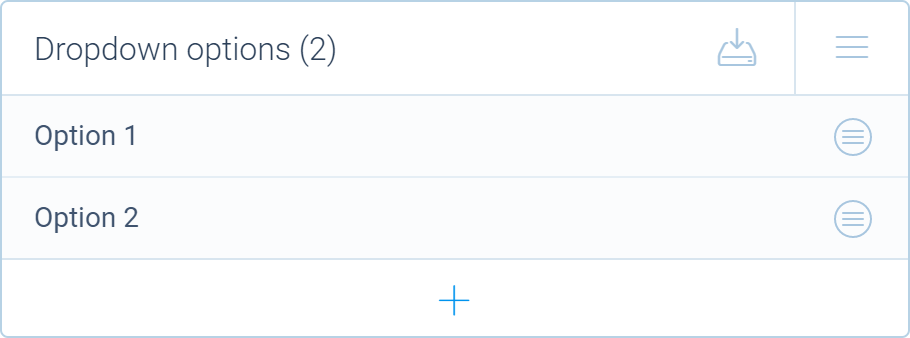
The Card class defines a UI component for managing a collection of items in the Tripetto builder. It is derived from the Components.Card class.
This card is used by the collection method of the EditorOrchestrator class used to define editor panels.
📺 Preview
🆕 constructor
Creates a new Card instance.
Signature
constructor(properties: IProperties): Card
Parameters
| Name | Type | Optional | Description |
|---|---|---|---|
properties | IProperties | No | Specifies the properties for the collection. |
Return value
Returns a reference to the new Card instance.
🗃️ Fields
🏷️ banner
Sets or retrieves the current banner. The banner is shown above the collection card.
Type
string
🏷️ icon
Sets or retrieves the default icon for collection items. This icon is used when an item doesn't have an icon set using the @icon decorator.
Type
string
🏷️ placeholder
Retrieves the item placeholder that is shown for items that don't have a name.
Type
string
▶️ Methods
🔧 aliases
Changes the aliases setting. Aliases are used to identify items in a list. If an item has an alias it is shown in the list.
Signature
aliases(aliases: boolean | ((item: Item) => string | undefined)): this
Parameters
| Name | Type | Optional | Description |
|---|---|---|---|
aliases | boolean | ((item: Item) => string | undefined) | No | Specifies if the aliases are enabled or not (or returns a specific alias for an item). |
Return value
Returns a reference to the Card instance to allow chaining.
🔧 deduplicate
Removes items with duplicate names from the collection.
Signature
deduplicate(): void
🔧 deleteAll
Deletes all items from the collection.
Signature
deleteAll(): void
🔧 deleteUnnamed
Deletes all unnamed items from the collection.
Signature
deleteUnnamed(): void
🔧 export
Shows the item export panel for bulk exporting items.
Signature
export(): void
🔧 import
Shows the item import panel for bulk importing items.
Signature
import(): void
🔧 indicators
Changes the indicators function. Indicators can be used to show additional information for an item in the list.
Signature
indicators(indicators: ((item: Item) => string | undefined)): this
Parameters
| Name | Type | Optional | Description |
|---|---|---|---|
indicators | indicators: ((item: Item) => string | undefined) | No | Specifies if the indicators are enabled or not (or returns a specific indicator for an item). |
Return value
Returns a reference to the Card instance to allow chaining.
🔧 refresh
Refreshes all data in the collection.
Signature
refresh(): void
🔧 scores
Changes the scores setting.
Signature
scores(scores: boolean | ((item: Item) => number | string | undefined)): this
Parameters
| Name | Type | Optional | Description |
|---|---|---|---|
scores | boolean | ((item: Item) => number | string | undefined) | No | Specifies if scores are enabled or not (or returns a specific score for an item). |
Return value
Returns a reference to the Card instance to allow chaining.
🔧 sort
Sorts the list with items.
Signature
sort(direction: "ascending" | "descending"): void
Parameters
| Name | Type | Optional | Description |
|---|---|---|---|
direction | "ascending" | "descending" | No | Specifies the sort direction. |